Appearance
Templates
The Templates module manages master document templates used to generate study output artifacts. Templates define section structure, field mappings, and conditional rendering rules that drive artifact generation for each study checkpoint.
Mockup
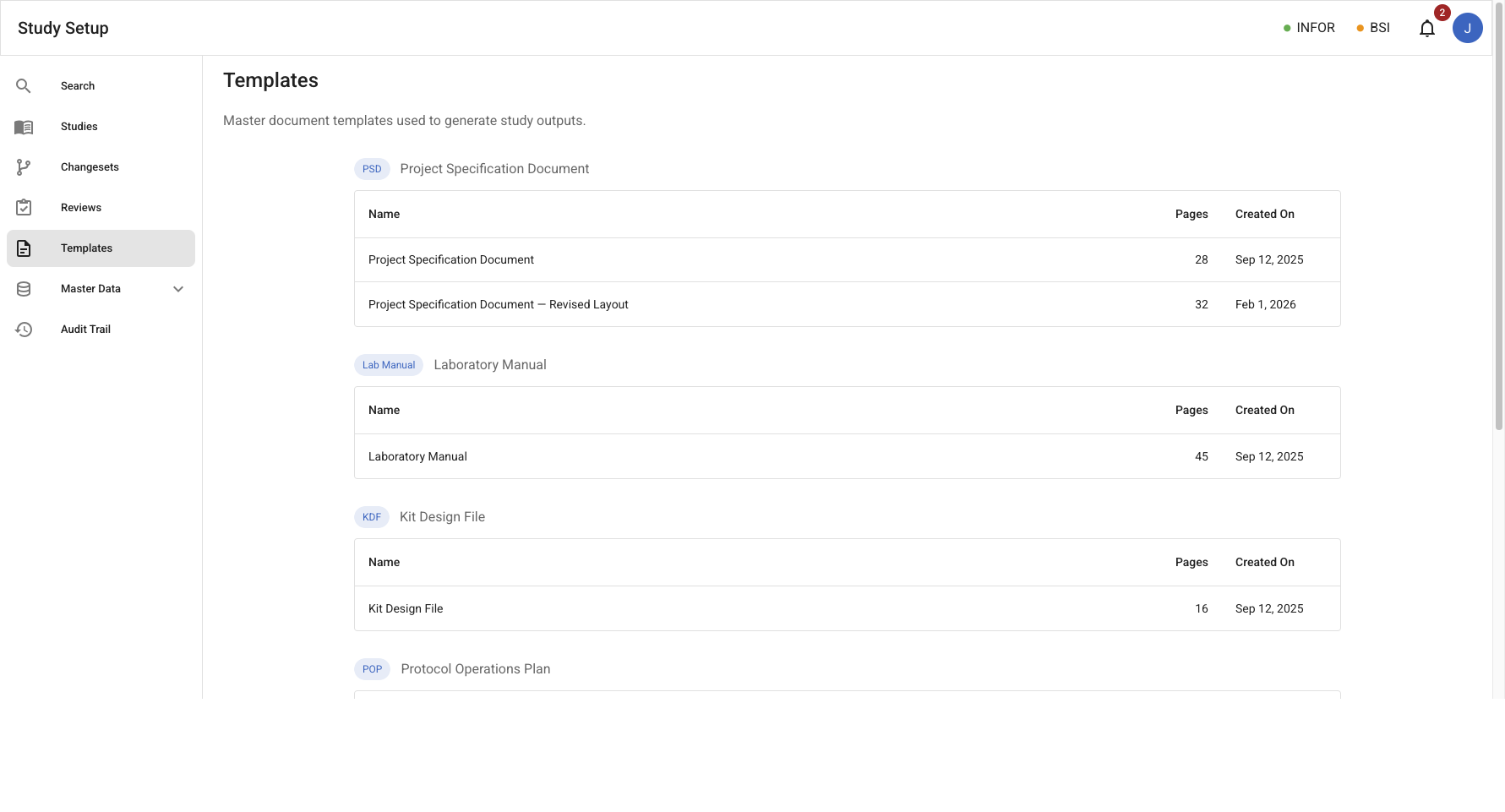
Templates list
/templates – Table of all available master templates (Name, Pages, Created On).
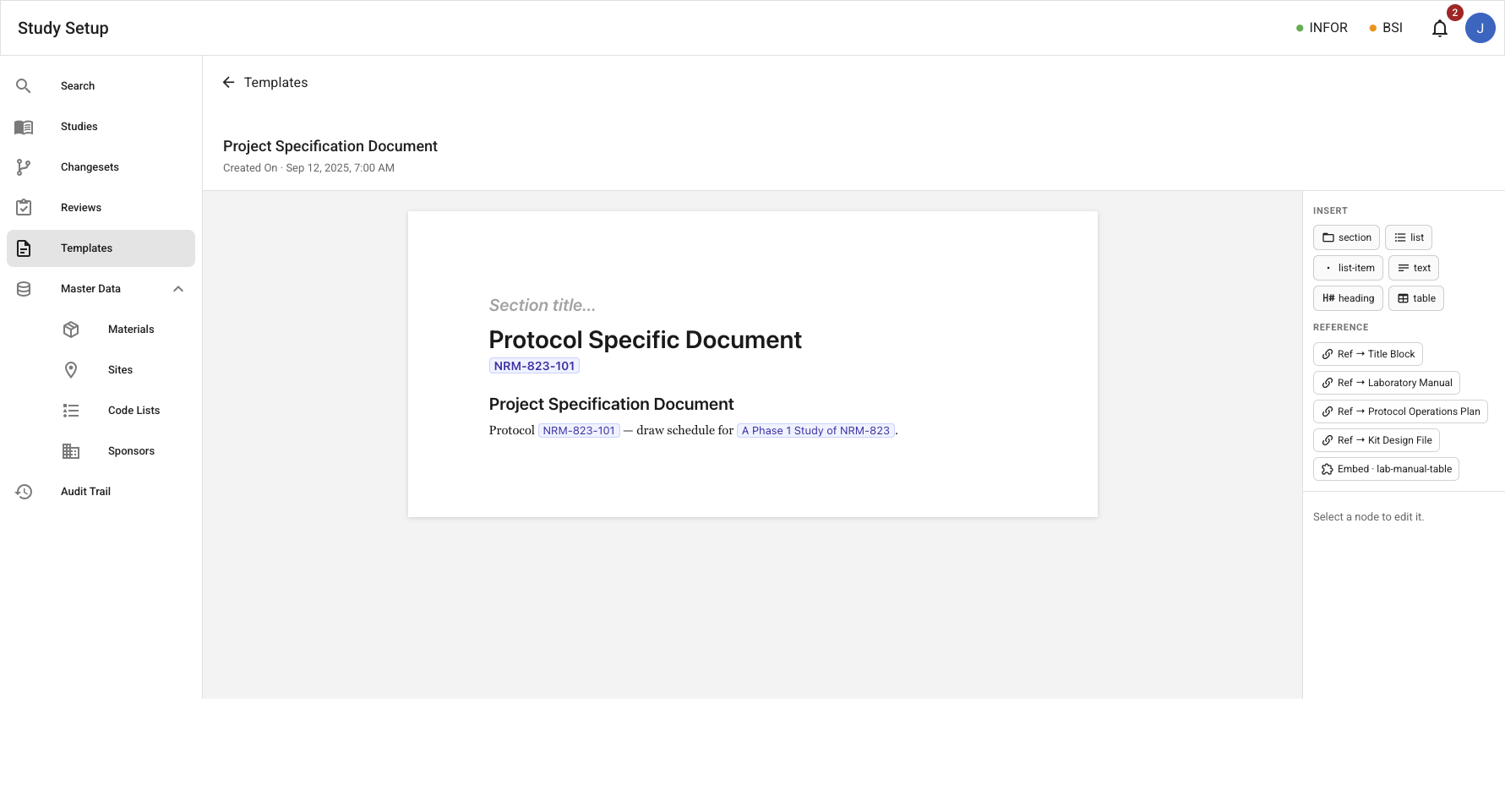
Template document view
/templates/:templateId – Three-column viewer showing section navigation, page preview, and an Insert/Reference side panel for authoring template structure and model bindings.
Entities
| Entity | Description |
|---|---|
| Template | A versioned master document definition that drives artifact generation. Identified by a template ID, name, and associated to a specific DocumentType. |
Use Cases
- Browse all document templates, grouped by associated
DocumentType. - Create and edit a template using a WYSIWYG editor.
- Mark a Template as 'active' or 'draft'.
- Archive a template version that is no longer in use.
Notes
- Only 'active' templates can be used for study output generation.
- Embedded images are stored with the template as template-owned assets (not shared master data, not ingestion sources); they render as static content in generated documents.
Authoring
Templates are authored in a WYSIWYG canvas editor. The author builds the document as a hierarchy of content blocks which is the same structure the viewer renders.
Content blocks
Every block has a type, and a block can nest child blocks to build the document hierarchy.
| Block | Description |
|---|---|
| Section | A titled, nestable container. Nesting depth sets the heading level. |
| Text | A paragraph of inline content. |
| List | An ordered or unordered list of child blocks. |
| Table | A header row and body rows. Each cell carries inline content. |
| Reference | An interpolation of another template, so a template can be built from reusable sections instead of duplicated. |
| Image | An embedded image (logo, figure, label artwork) stored as a template-owned asset. Static content — not model-bound, never ingested. |
In addition, bespoke blocks may be implemented for highly customized and/or complex scenarios.
Bindings
Template prose references the study model through bindings. A text block's content mixes literal runs (fixed prose) with bindings (which are values pulled from the study model). The author inserts a binding from a picker that lists the model's fields.
A binding stores a stable field identifier, not a value and not a position in the model. The identifier comes from the field's identity in the study model and is the same across every study. A binding authored once on a master template resolves correctly for each study generated from it.
Resolution
A template is abstract. It is authored once, holds no study data, and carries only field identifiers. A study's values are supplied when an artifact is generated or previewed. Resolution looks each identifier up in the study's model and substitutes the value.
- Resolved binding: renders the field's value.
- Unresolved binding: a field the study has not supplied renders a visible marker.
For now, the authoring surface shows the token. The read-only render resolves bindings and drives both the live document preview and the generated artifact. The only difference is which study's values are supplied.
Events
Events from the artifact_generation_review bounded context (template lifecycle):
| Event | Description |
|---|---|
TemplateCreated | An artifact template was created with sections, field mappings, conditional rules, and output format. |
TemplateUpdated | An artifact template's definition (sections) was updated. |
TemplateActivated | Template made active |
TemplateSetToDraft | Template made draft |
TemplateArchived | Template archived |