Appearance
Notifications
The Notifications module delivers in-app alerts to users about events that require their attention or awareness: changeset review requests, approvals and rejections, document review actions, and study checkpoint updates.
Mockup
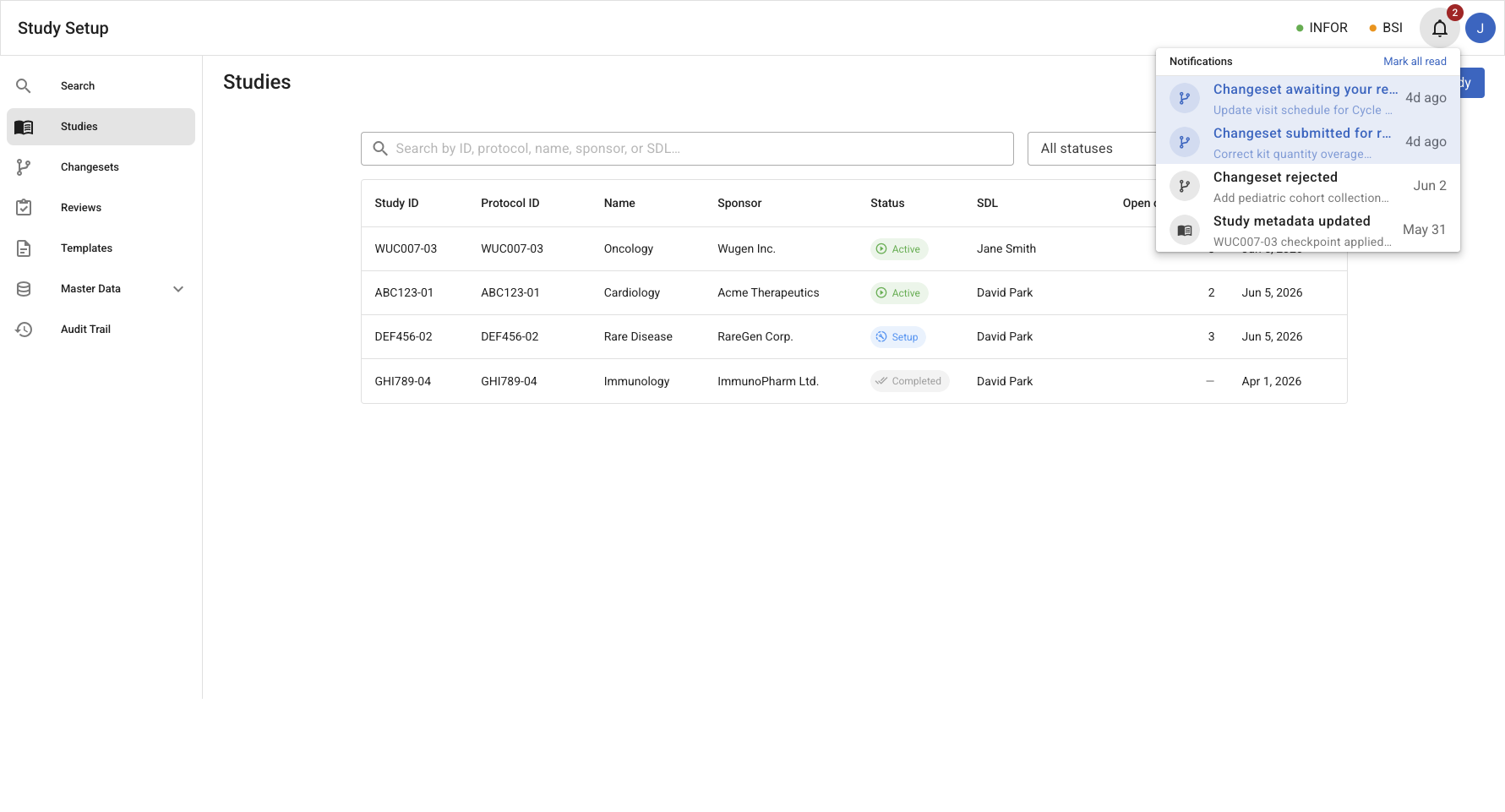
Notifications dropdown
Navbar bell icon – Opened from the bell icon in the top navigation bar, showing unread and recent notifications with a Mark all read action.
Entities
| Entity | Description |
|---|---|
| Notification | A targeted in-app alert delivered to a specific user. Contains a kind, title, message preview, timestamp, read/unread state, and a navigation target. |
Use Cases
- View unread notification count as a badge on the navbar bell icon.
- Open the notification dropdown to see recent notifications with title, message preview, kind icon, and relative timestamp.
- Mark all unread notifications as read in a single action.
- Click a notification to mark it read and navigate directly to the linked entity (changeset detail, document view, study detail, etc.).
Notes
- Notifications live in the navbar (top bar). They are globally accessible from any page.
- Notifications are user-scoped: each user sees only notifications relevant to their role and study assignments.
- Navigation from a notification to its linked entity closes the dropdown and routes using named Vue Router routes.
Notification triggers
Notifications are raised only in reaction to formal domain Events: a Policy observes an Event and issues a CreateNotification command. If something warrants notifying a user, it must first be modeled as an Event. Recipients resolve by role + study assignment.
| Trigger event | Recipient(s) | Purpose |
|---|---|---|
ChangesetSubmitted | Study SDL | review request |
ChangesetApplied / ChangesetRejected | Changeset contributors | outcome |
ReviewerAssigned | Assigned reviewer | review task |
ReviewDeadlineApproaching / ReviewDeadlinePassed | Assigned reviewer (+ SDL) | deadline reminder |
ExternalCommentSubmitted / ExternalApprovalSubmitted | SDL | client feedback / approval |
DriftDetected / ProvisioningEscalated | SDL (responsible role) | sync failure / drift alert |
AddressUpdated (affecting linked studies) | Affected study owners | reference-data change |
DocumentVersionReleased | Assigned users | release / status update |
StudyModelUpdated (new checkpoint) | Assigned users | status update |
Notifications are in-app only for now (bell + dropdown); email/other channels are out of scope (TBD).
Deferred: past-due deliverable reminders (e.g. a PSD pending client signature) require deliverables to carry due/target dates plus a scheduled overdue check (a DeliverableOverdue event) — tracked separately, not yet modeled.
Events
| Event | Description |
|---|---|
NotificationCreated | A notification was created for a specific user. |
NotificationRead | A notification was read by a specific user. |
NotificationMarkedReadUntil | All notifications earlier than a given timestamp were marked as read by a specific user. |